What
Upon installing and onboarding a Nobi Smart Light, the light will default to Setup mode. During this period no fall escalations can be triggered.
Other escalation types can still be triggered during Setup mode. This includes:
- Resident calls (call button or pull cord)
- Wearable calls
- Assistance calls
Setup mode can only be disabled by Nobi Support. Care staff, regardless of their role, cannot disable this mode.
Why
While in Setup mode, the system is in a preparatory state. During this phase, configurations are completed and staff can be trained, while escalations are not yet active. This ensures the environment and workflows are ready before the system goes live.
Detailed steps
Identify whether a light is in Setup mode with or without an assigned resident.
With an assigned resident
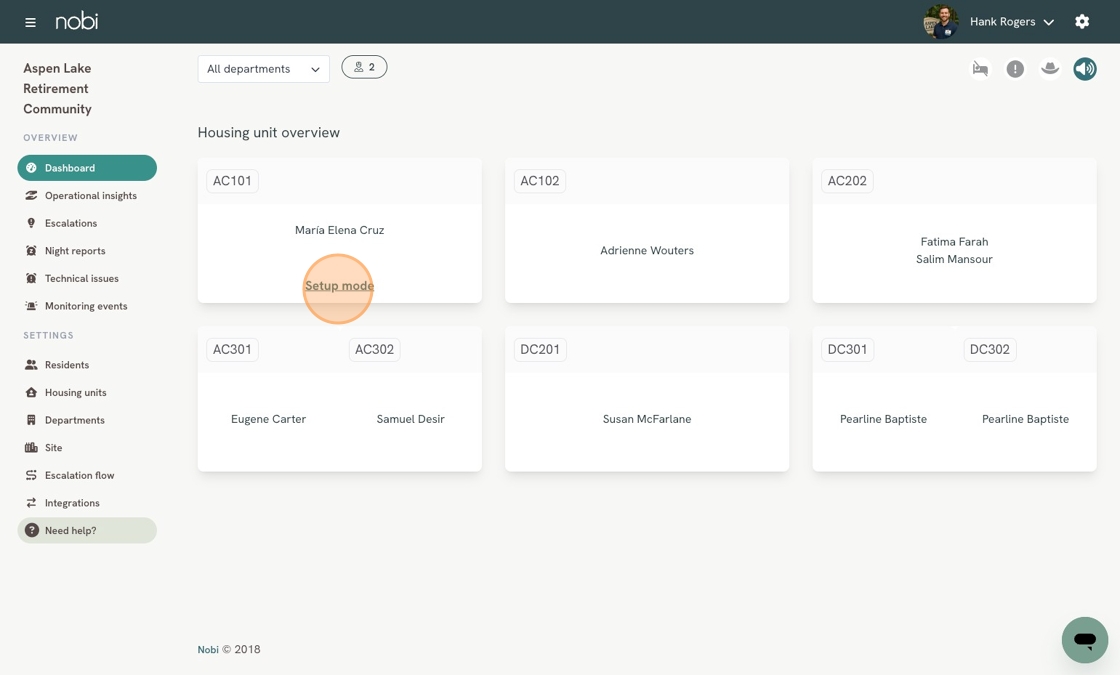
- You can identify which housing units have lights in Setup mode via the Dashboard. If the light is in Setup mode, you will see Setup mode displayed under the resident’s name.
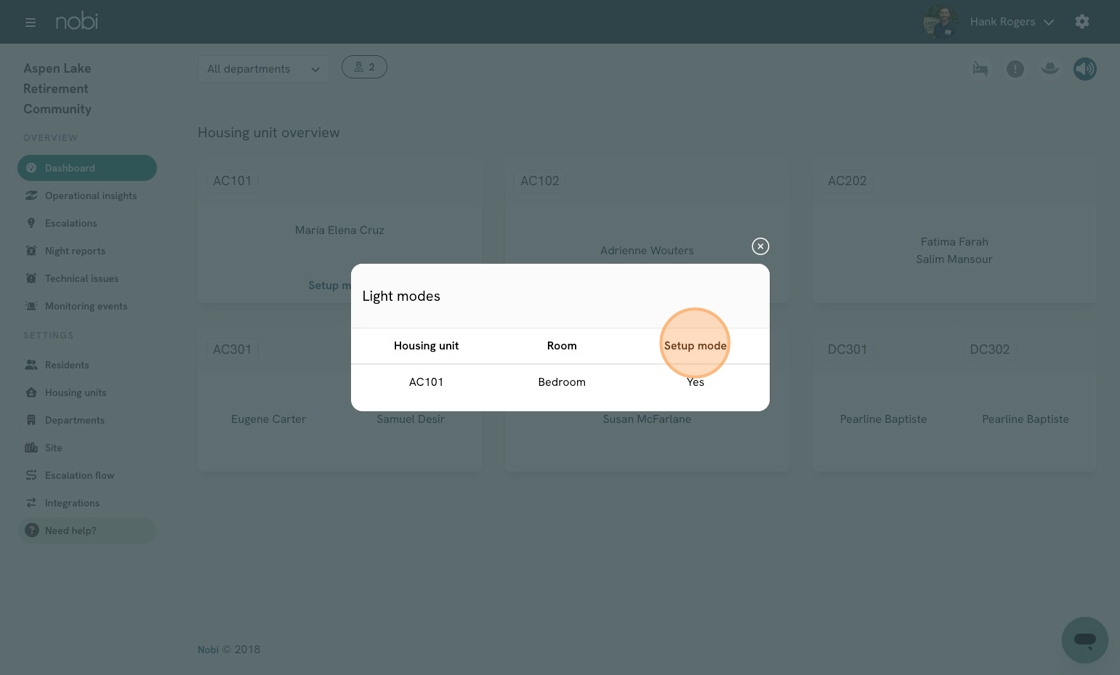
- Clicking Setup mode will show you which lights and rooms are currently in this mode. If the housing unit contains multiple lights in different rooms, they will all be listed here.
Without an assigned resident
If no residents are currently assigned to a housing unit with a Nobi light, you can check whether Setup mode is active by following the steps below:
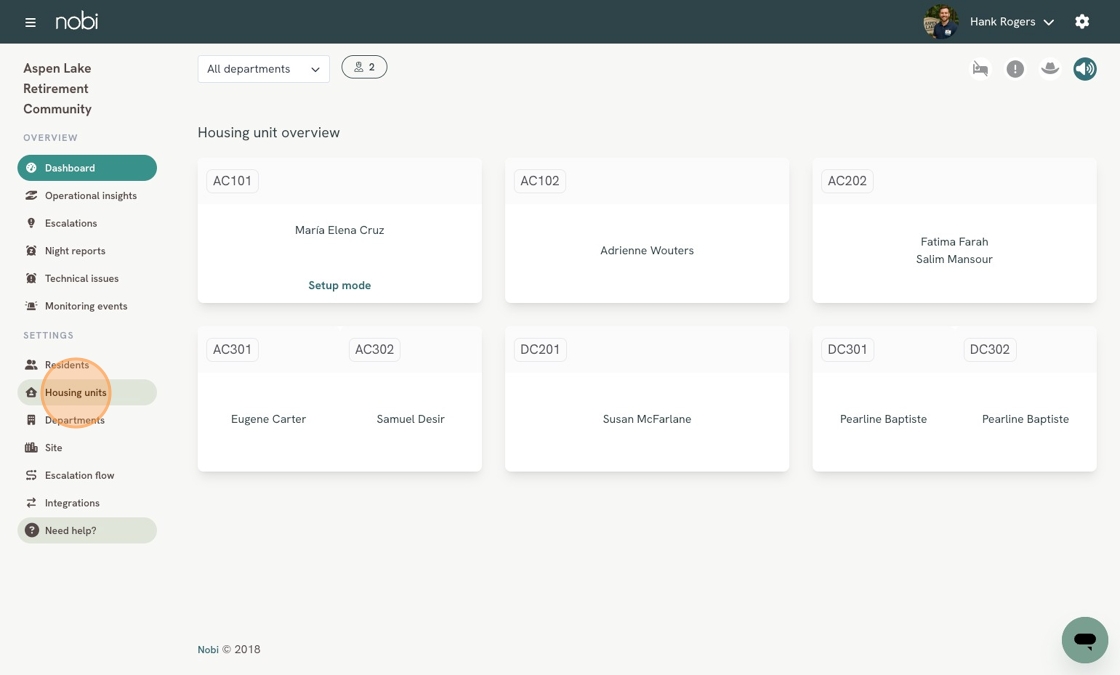
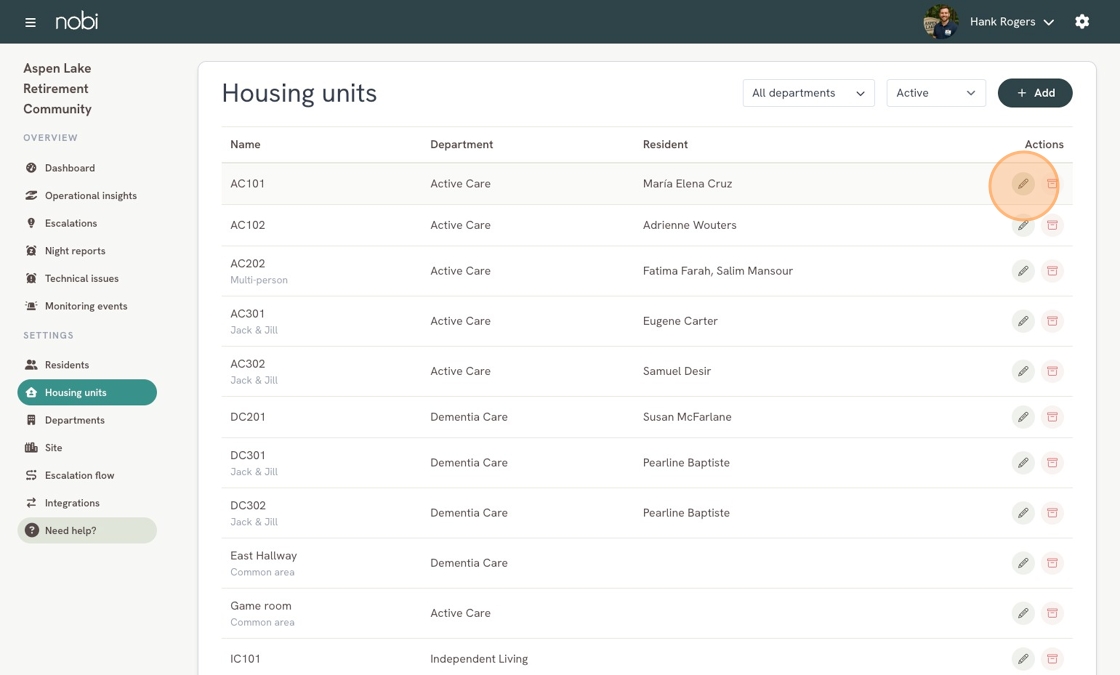
- Go to Housing Units in the left menu.
- Select the relevant housing unit by clicking Edit.
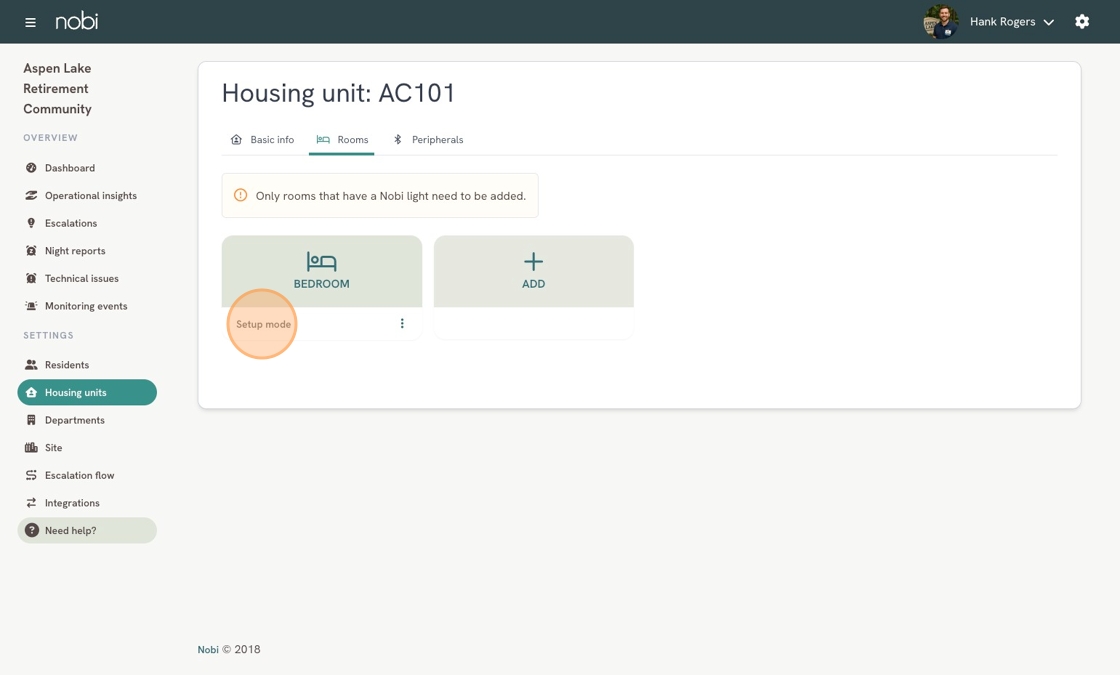
- Click the Rooms tab.
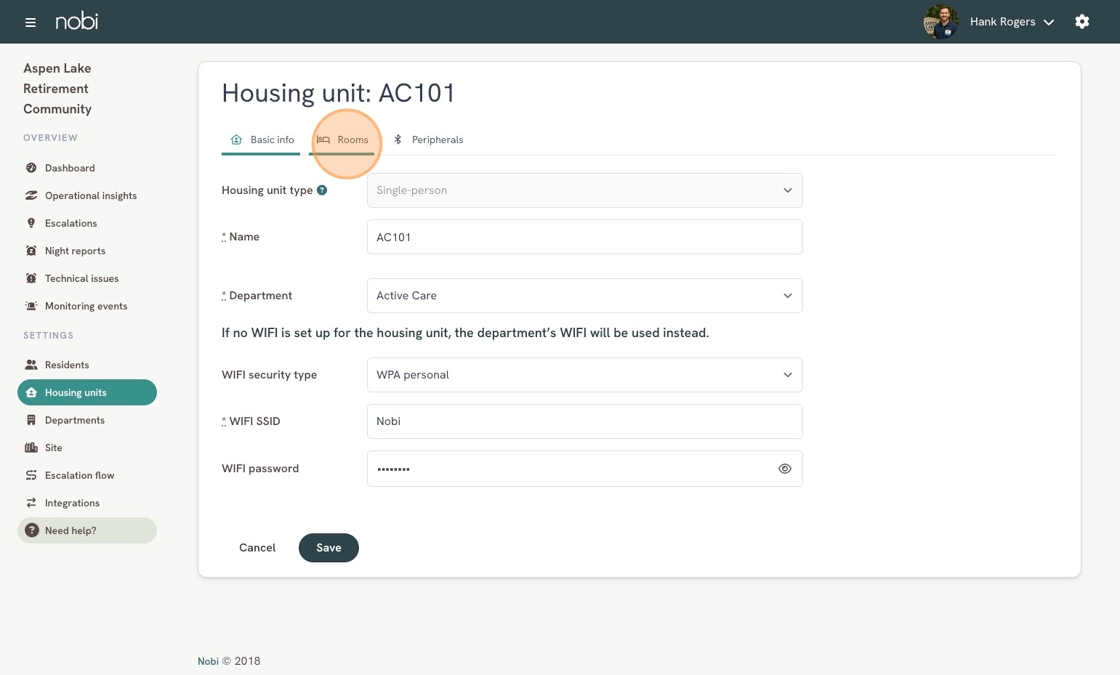
- Here you will be able to see which rooms have lights in Setup mode.