
What
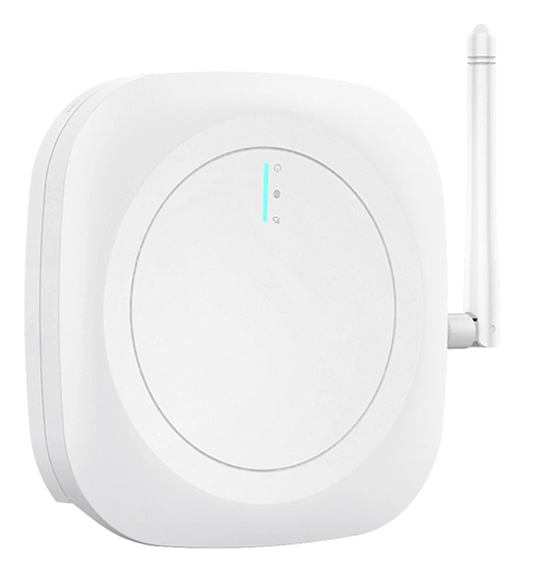
A Nobi Gateway receives a signal from a Badge or a Wearable Call Button. A Badge press triggers an assistance call, or provides staff insights. A Wearable Call Button press triggers a wearable call.
Gateways are only available in housing units set up as a common area with the device type “Gateways” selected. A common area housing unit has areas instead of rooms. Just like you’d onboard a Nobi light into a room in a resident housing unit or an area in a common area housing unit, you onboard a Gateway into an area in a common area housing unit. The housing unit has its own name, such as “Main hallway”, and each area within it has a name too, such as “Outside the game room” or “By the main entrance”.
An area with a Gateway can also be chosen as the location of an app-triggered assistance call. When a caregiver taps Request assistance in the Nobi Mobile App, they can pick any room or area with a Nobi light or Gateway, including areas in a common area. No Badge is needed for this.
A Nobi light can detect falls, capture images and video, and support two-way audio. A Gateway can only send the signal it receives. There’s no fall detection, and no image, video, or pose analysis for the escalations it triggers.
Why
Wearable Call Buttons and Badges need a device nearby to trigger the escalation procedure when pressed. A Nobi light usually does this job, but fall detection isn’t always needed in hallways, lounges, and other communal areas. In these cases, a Gateway can be installed instead to pick up these signals and trigger the escalation procedure.
Multiple Gateways can be added to the same housing unit. This makes Gateways a cost-effective way to extend coverage in combination with Nobi lights.
For information, check out our related articles on how to onboard a Nobi Gateway to an area, how to factory reset a Nobi Gateway, how to install a Nobi Gateway, how to add a common area housing unit, and how to change the WIFI settings for a Gateway.