
What
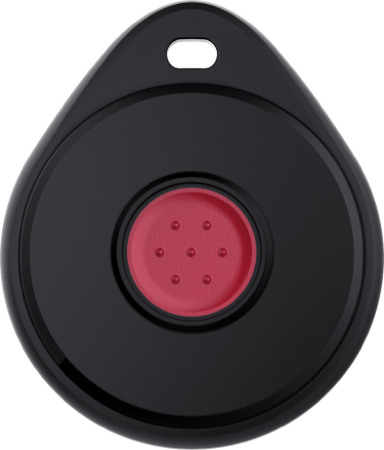
The wearable call button is a device that lets residents ask for help quickly. They press a button that they wear on the wrist or as a pendant around the neck.
The button is paired directly to the resident, not to a housing unit. This means the wearable call follows the resident. The resident can start a wearable call anywhere within range of any Nobi light or Gateway in the community.
When the resident presses the button:
- The wearable call is linked to the resident who pressed it.
- Nobi shows the resident’s location, based on the nearest Nobi light or Gateway.
- Care staff receive the wearable call through the existing escalation procedure.
The button works fully with the Nobi platform. This makes sure the resident is clearly identified, the location is accurate, and communication during escalations is reliable.
If you scan the wearable call button with the Nobi Mobile App while it has no open escalation, you see the resident’s name and housing unit. You also see a note that no open escalations are linked to it. During an open escalation, you use the wearable call button to close the escalation.
The device is light, waterproof, and made to be worn all day, every day. This way, it is always within reach when needed. It also doesn’t need charging.
Why
Not every situation needs fall detection. Sometimes a resident simply needs help.
The wearable call button gives residents an active and immediate way to ask for help. It supports their independence and makes sure help is always within reach.
With the wearable call button:
- Residents can ask for help wherever they are within range of Nobi.
- Care staff immediately know who pressed the button and where they are.
- The wearable call follows the same trusted escalation flow as a fall escalation.
This makes the wearable call button especially valuable for residents who can still move around but may feel unsteady, anxious, or vulnerable. It allows staff to step in early and helps prevent incidents before they get worse.
For information on how to pair the wearable call button, find step-by-step instructions here.
Find information on maintaining the wearable call button, including replacing the battery, here.