When using the Calls via Nobi Mobile App feature, why do I keep being unassigned as an available caregiver when I have not logged out of the app?
On Android devices, this usually happens because the Nobi app’s background activity is restricted. To prevent this, change the battery setting for the Nobi app to Unrestricted.
1 minute readUpdated 11 Sept 2025
Please note, these detailed instructions may not apply to all Android devices, and may appear differently on your device.
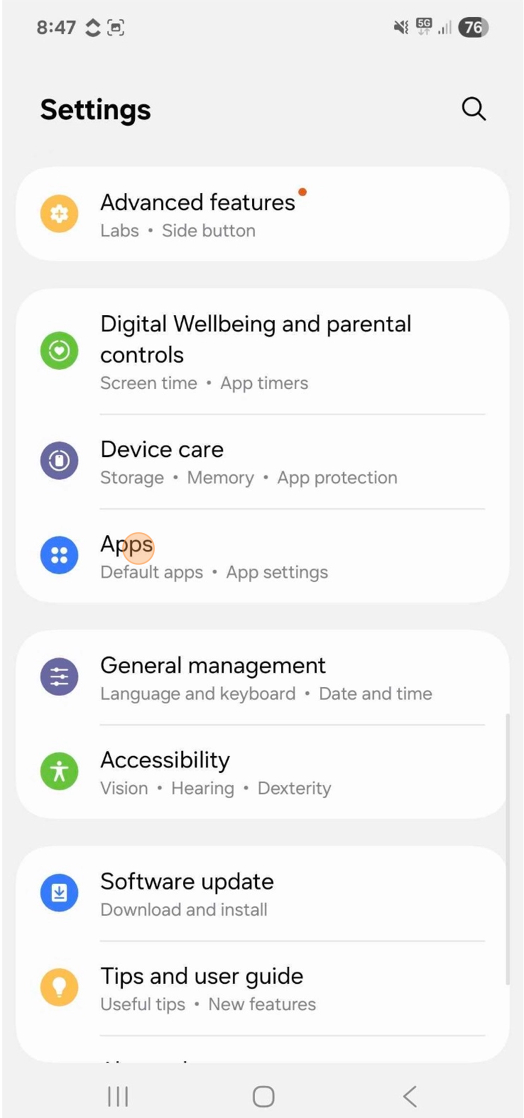
In your device’s Settings scroll down and press Apps.
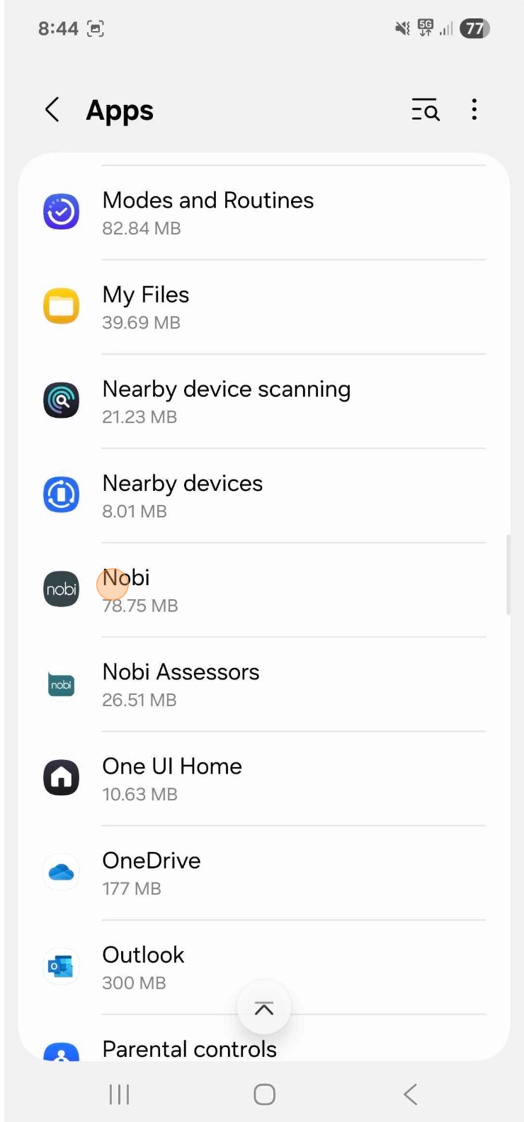
Select the Nobi App.
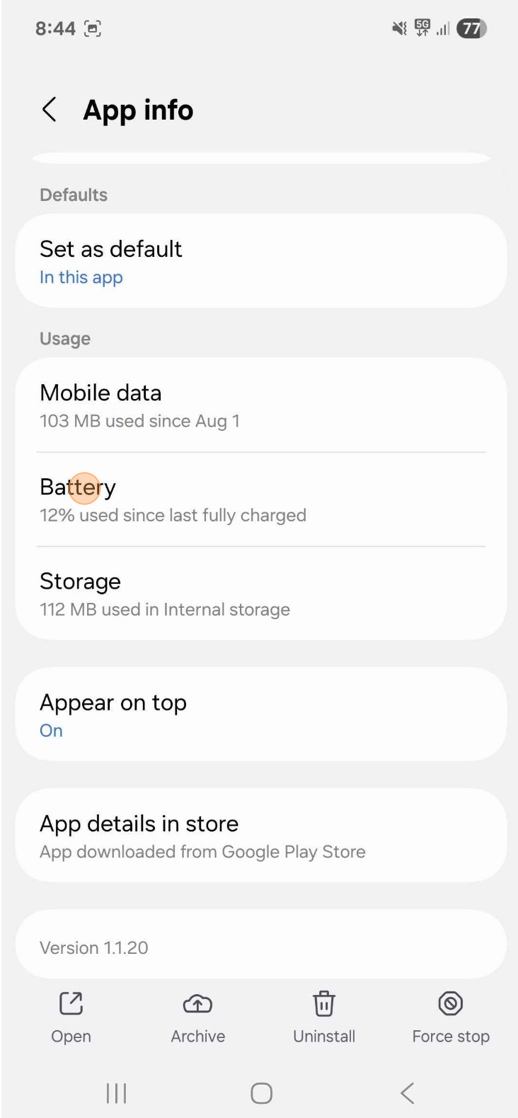
Scroll down and tap Battery under the Usage header.
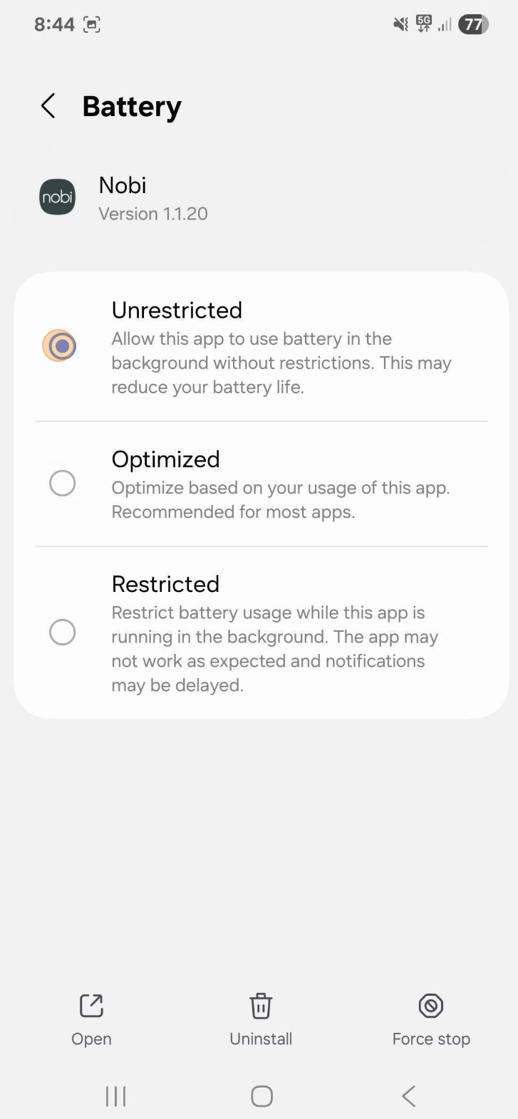
Choose Unrestricted.
This ensures the Nobi app can run in the background without disconnecting you.